v1Banjo-Kazooie
Cloud saves for the rest of us
Savy keeps the saves from your emulators and DRM-free games in one quiet place — versioned, synced, and nothing ever overwritten. Play on the couch, pick up on the Steam Deck.
A look inside
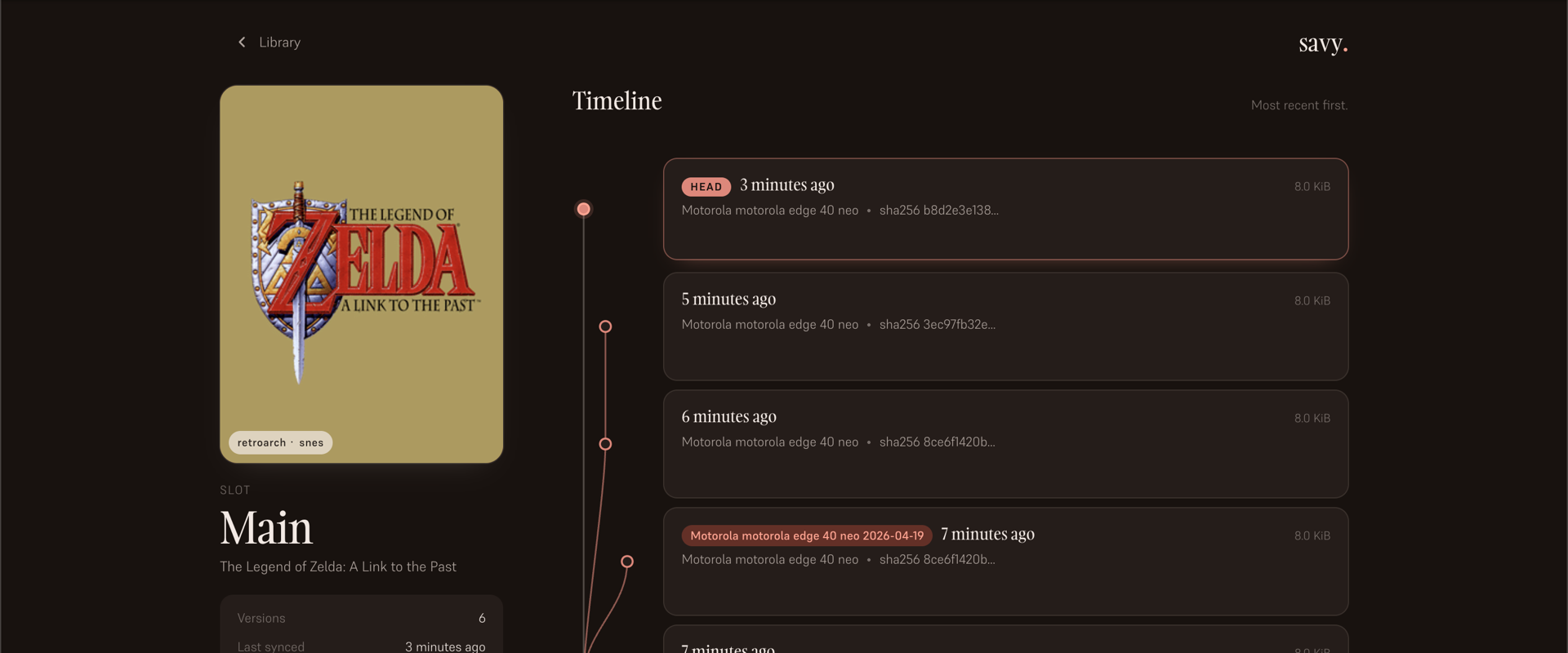
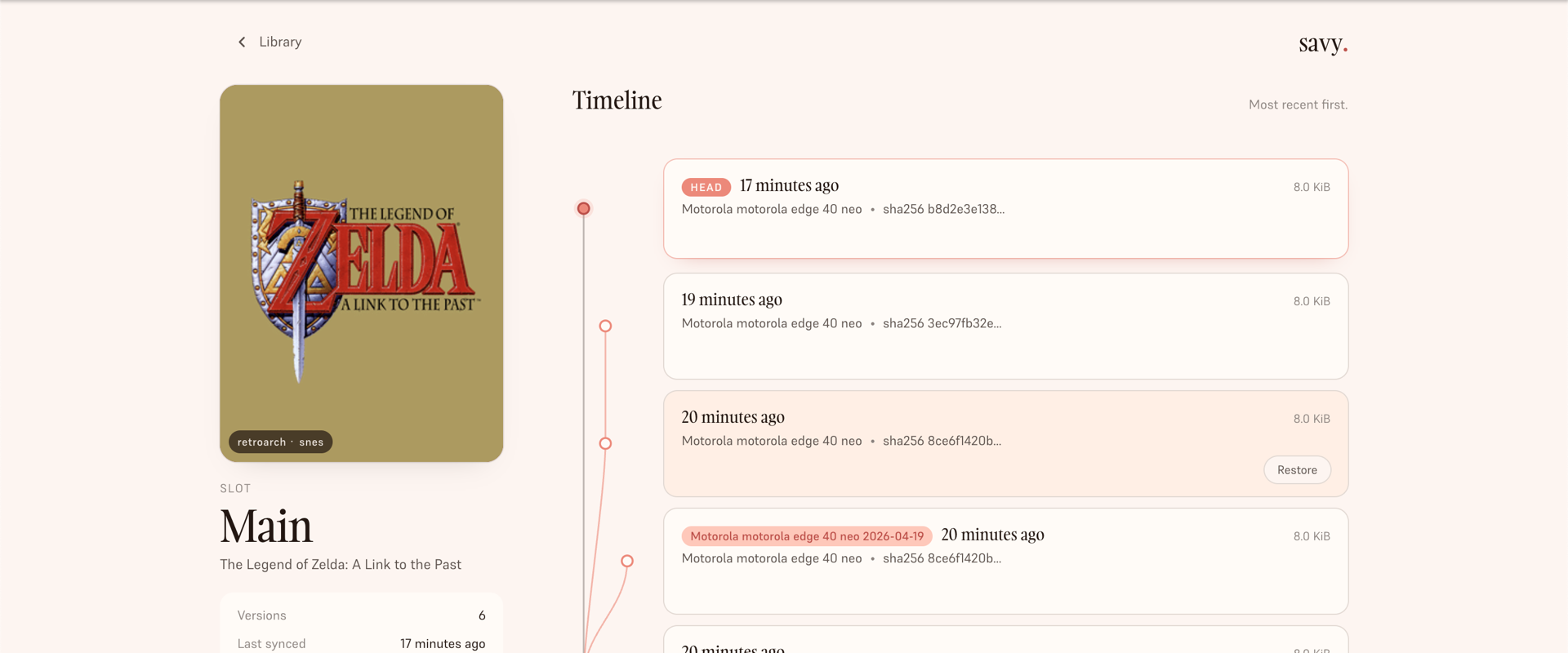
Open a slot and the whole history is there — each version a quiet dot on a rail, with the current one haloed. Branches sit beside the mainline in coral, kept forever. Nothing gets collapsed, nothing gets lost.
What you get
Each time you sync, Savy stores a new version alongside the last. If two devices disagree, both are preserved — losing branches are never deleted, just set aside.
RetroArch, PCSX2, Dolphin, RPCS3, Ryujinx, DRM-free Steam titles. If the game writes a file, Savy can sync it. No storefront required.
We never guess which save wins. If there's a conflict, you see both versions — device, time, size — and you decide which becomes the current one.
How it works
After setup, Savy runs quietly — pair once, point it at your save folder, and close the lid.
Open Savy on your phone or desktop and enter a 6-digit code. No passwords passed around.
Point the app at your emulator's save folder. Savy reads files — it never replaces them without a version trail.
Switch to the Steam Deck, the phone, the laptop. The latest save is always there. Older versions are still there, too.